
What to Look for When Buying Refurbished IT Equipment for Your Business
Buying refurbished IT equipment for a business is a completely different decision than buying a single laptop for personal use. The stakes are higher, the quantities are larger, and a bad purchase can disrupt operations rather than just inconvenience one person.
The good news is that refurbished business IT equipment from trusted sellers is genuinely reliable when you know what to check. Here is a practical guide covering everything from laptops to servers to networking gear.
Why More Businesses Are Going Refurbished
The math is simple. A refurbished server that cost $8,000 new three years ago can be found tested and operational for $800 to $2,000. A batch of 20 refurbished Dell laptops that would cost $20,000 new often runs $4,000 to $6,000 refurbished, with full testing done.
For growing businesses, startups, and organizations watching their IT budget, refurbished equipment covers the same business needs at a fraction of the cost. The performance gap between a two-year-old enterprise server and a brand new one is negligible for most business workloads.
Laptops and Desktops: What to Check
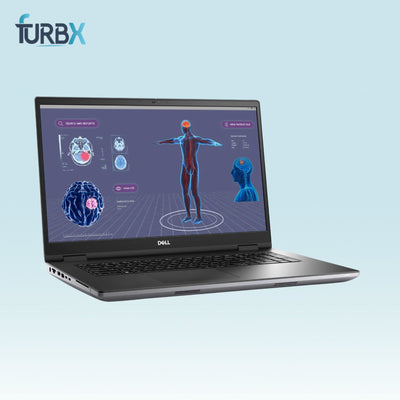
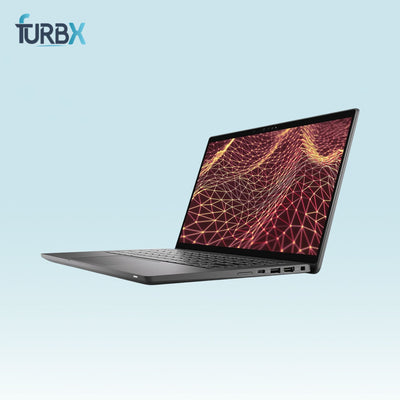
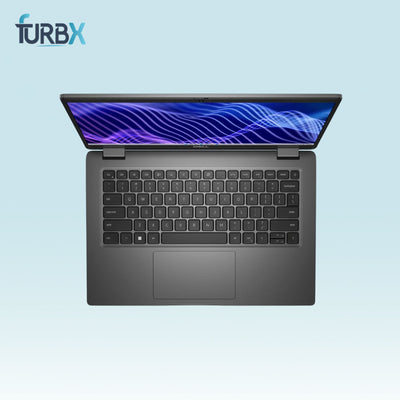
For business laptop and desktop purchases, the same core rules apply whether buying one unit or fifty:
Processor generation: For laptops purchased in 2025, aim for 8th generation Intel Core or newer. Anything older starts showing its age with modern software and operating system updates.
RAM: 16GB minimum for laptops used in any kind of business environment. 8GB works for light tasks but creates bottlenecks the moment software gets heavier.
Storage: SSD only. Mechanical hard drives have no place in a business environment where boot time and application speed directly affect productivity.
Consistency across the batch: When buying multiple units, try to source the same model and configuration throughout. Mixing models creates headaches for IT management and support.
Warranty: Any legitimate business IT purchase should come with at least a 30-day warranty. Longer is better. No warranty is a red flag regardless of how good the price looks.
Servers: The Most Important Purchase to Get Right
Buying a refurbished server is where due diligence matters most. A server failure can take down operations, cost hours of productivity, and create data risks. That said, enterprise servers from Dell EMC and HP are built to run continuously for years, and refurbished units from reputable sellers perform exactly as expected.
What to verify before buying a refurbished server:
Generation and processor: Dell PowerEdge R730 and R740 series are solid choices in the refurbished market right now. Avoid anything older than the previous two server generations for production environments.
RAM configuration: Servers use ECC RAM, which is different from laptop RAM. Confirm the RAM type and amount in the listing matches your workload requirements.
Drive bays and storage: Check how many drive bays are included and whether drives come with the unit or need to be purchased separately. Many server listings sell without drives.
Power supply: Confirm power supply units are included and tested. Some listings sell servers without PSUs, which adds cost.
Rails and rack hardware: If you are rack mounting, confirm whether rails are included or need to be sourced separately.
BIOS and firmware: Ask the seller whether BIOS has been reset and whether the server boots cleanly before shipping. A server arriving with a BIOS lock or iDRAC issues creates immediate problems.
Network Switches: What Businesses Need to Know

Refurbished network switches are one of the safest refurbished IT purchases you can make. Switches have no moving parts, run continuously, and rarely fail when purchased from a seller who tested them before listing.
What to check when buying refurbished switches:
Port count and speed: Confirm the switch has the right number of ports for your network and that the port speed matches your infrastructure needs. Gigabit is standard now; 10-gigabit uplinks are important for high-traffic environments.
Managed vs unmanaged: Managed switches give you VLAN and traffic control options. Unmanaged switches are simpler and cheaper but offer less control. Match this choice to your network complexity.
Brand and model support: Cisco, Juniper, and HP switches all have strong communities and available firmware. Buying a refurbished switch from these brands means documentation and support resources are readily available.
Power over Ethernet: If you are powering IP phones, access points, or cameras through the switch, confirm PoE support and wattage capacity match your device requirements.
Firewalls and Security Appliances
Refurbished firewalls require one additional check that other equipment does not:
License status. Many enterprise firewalls like Cisco ASA and Fortinet units run on subscription-based licenses for threat intelligence and security features. A refurbished firewall with an expired license still functions as a basic firewall but loses its advanced security features.
Before buying a refurbished firewall:
Check whether active licenses transfer with the unit or need to be purchased separately. Factor this cost into your total budget before comparing prices against new units.
Confirm the model is still supported by the manufacturer. Older firewall models
that no longer receive firmware updates create security risks for business networks.
Storage Arrays and Enterprise Storage
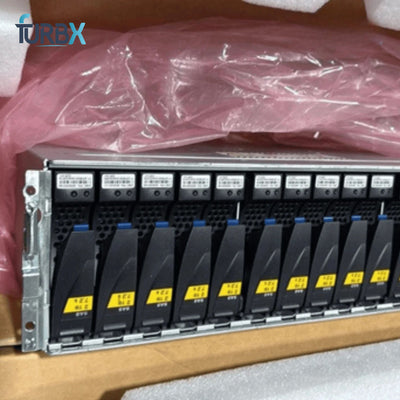
Refurbished storage arrays from EMC and HP show up regularly in the market and can save tens of thousands of dollars compared to new. These units are built for enterprise environments and perform reliably long after their original deployment.
Key checks for storage arrays:
Drive compatibility: Confirm which drive types the array accepts and whether compatible drives are available in the refurbished market at reasonable prices.
Controller cards: Confirm controller cards are included and functional. Missing or faulty controllers make an otherwise good storage array unusable.
Expansion shelves: If the listing includes expansion shelves, confirm cables and power supplies are included for each shelf.
How to Work With a Refurbished IT Equipment Supplier

For businesses buying IT equipment regularly, building a relationship with a reliable supplier saves significant time and money over sourcing everything individually.
What to look for in a long-term supplier:
- Consistent testing standards so quality is predictable across purchases
- Ability to source specific models when you need them rather than just
selling whatever is available - Bulk pricing that reflects the volume of your purchases
- Clear grading and honest disclosure of any issues with individual units
- Fast shipping that fits your deployment timeline
At FurbX, we work with businesses of all sizes across the US, supplying tested
and graded laptops, desktops, servers, network switches, and accessories.
Whether you need a single unit or a lot of fifty, reach out to discuss your requirements, and we will work with you to find the right equipment at the right price.
Browse our full business IT equipment inventory and get in touch if you need
help sourcing a specific model or configuration.